
Not able to login to cockpit GUI
Hi,
I am not able to login to my cockpit gui using root user. I installed RHV 4.0 package on my server. While installting RHV 4.0 package I created root user. Then I login to system using root user and gave "yum update". Packages got updated with 4.1 version. I rebooted my system once. I am able to login with root user using putty but when I try to login using cockpit use its saying "wrong user name or password".
Here are my details:
USING PUTTY:
login as: root
root@10.53.197.121's password:
Last login: Mon May 29 08:01:02 2017 from 10.53.197.105
node status: DEGRADED
Please check the status manually using
nodectl checkAdmin Console: https://10.53.197.121:9090/
[root@masterPC_121 ~]#
[root@masterPC_121 ~]# nodectl check
Status: WARN
Bootloader ... OK
Layer boot entries ... OK
Valid boot entries ... OK
Mount points ... OK
Separate /var ... OK
Discard is used ... OK
Basic storage ... OK
Initialized VG ... OK
Initialized Thin Pool ... OK
Initialized LVs ... OK
Thin storage ... OK
Checking available space in thinpool ... OK
Checking thinpool auto-extend ... OK
vdsmd ... BAD
[root@masterPC_121 ~]#
USING COCKPIT GUI:
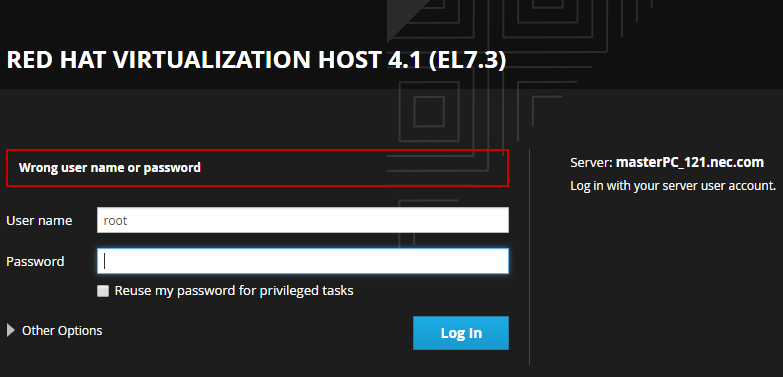
Please help me!!!

Responses