
Account Management - Email Usage and Troubleshooting
Updated -
Overview
This is a part of Common Account Management Questions.
Contents
Can I associate multiple email addresses with 1 login ID?
Can I use the same email for multiple login IDs?
Do I need to verify my email address?
How can I check if my email address has been verified?
I’m not able to confirm my email address for my account/I did not receive the email confirmation email.
Can I associate multiple email addresses with 1 login ID?
- 1 login ID can only be associated with 1 email address
- Should you need multiple users, you can either use group email address or invite/create a new user (Please refer to How to create and manage users for details)
Can I use the same email for multiple login IDs?
- Yes, a single email address can be associated with multiple login IDs.
- However, if you use an email address as a login ID and that same email is linked to other login IDs, it may cause issues when resetting your password or logging in.
*Since the login ID cannot be changed, if your email address changes, the login ID will remain the same. We recommend you to set the login ID other than the email address itself. - Starting July 1, 2025, logging in with your email address (instead of actual login ID) will no longer be supported. If your email address is your login ID, it will not be affected. However, if you have a separate login ID, please use that login ID to log in going forward.
Do I need to verify my email address?
- From 28 September 2023, email verification became mandatory
- Both new users and existing users who have not verified their email will see the following message upon their first attempt to login.
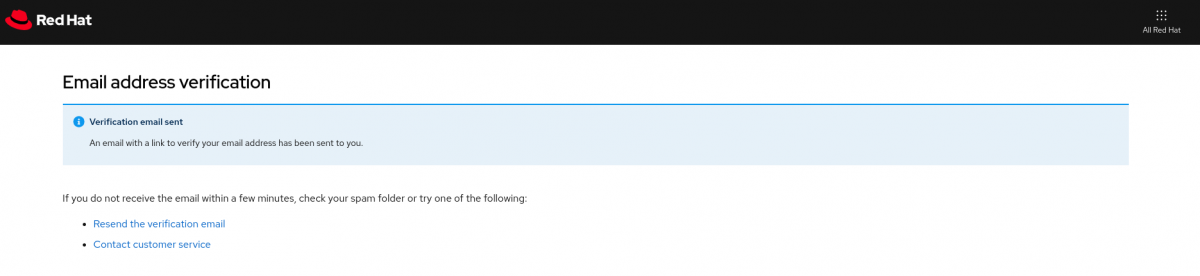
- Email verification will be sent automatically to the email address that the login ID is associated with.
- You will not be able to log in to Customer Portal until you verify your email. After the email has been verified, the login process will continue to happen
- Should the same message appears even after you have verified your email address, please clear web browser history
- Please refer to this page for further information
- For assistance with email address verification or change of email address, please contact Customer Service)
(Please note that if you request an email address change, you may need to provide a statement and wait for 7 days to allow the current email address owner time to raise any objections.)
How can I check if my email address has been verified?
-
If your email address is verified, you will not see "Your email address has not been confirmed" message from Your Red Hat Account page.
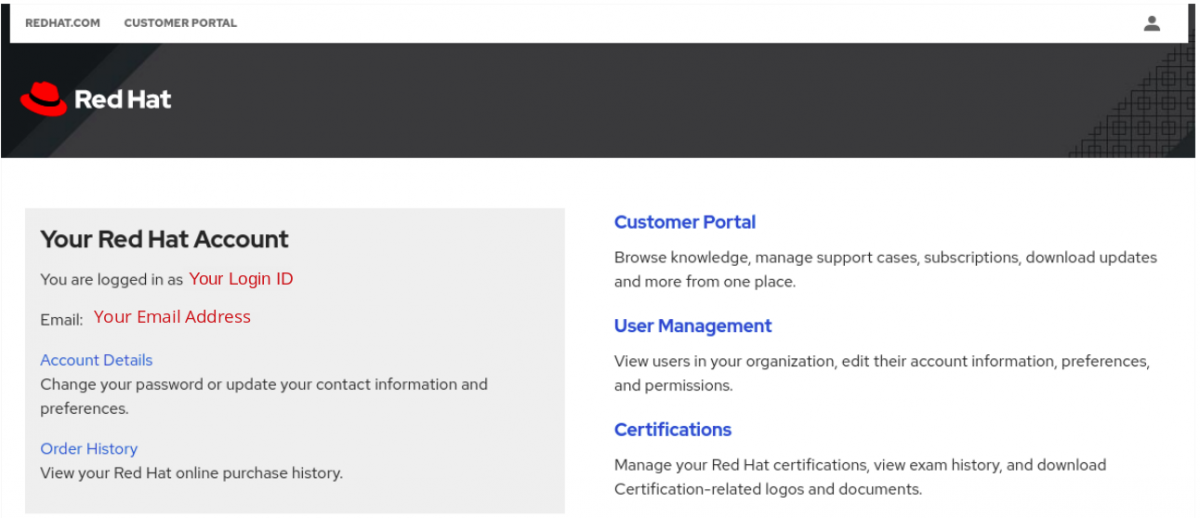
-
If your email has not yet been verified you will see "Your email address has not been confirmed" message from Your Red Hat Account page.
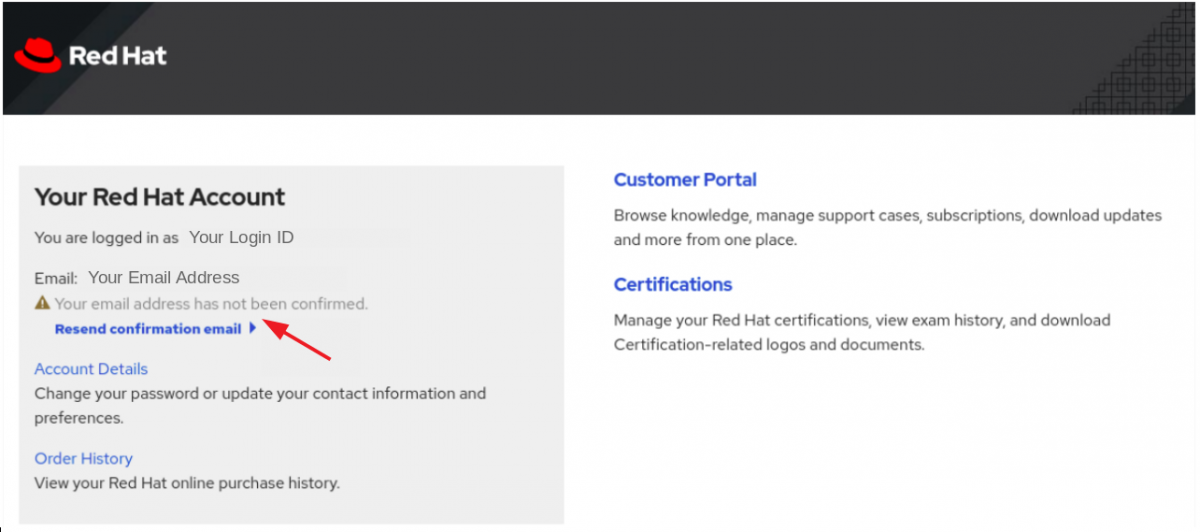
- Should you need a new email verification link, you can resend it from Resend confirmation email link.
I’m not able to confirm my email address for my account/I did not receive the email confirmation email.
- If you see that your email address for your account hasn’t been confirmed, you can trigger the email confirmation email yourself, by going to Your Red Hat Account page and clicking on Resend the verification email on the left hand side.
- If you did not receive the email, please look into your spam and junk folders.
- If for some reason you’re unable to confirm your email address (i.e. you get the below message when clicking on the confirmation link), please use a different browser or clear cookies and cache in your current browser session.

- For more information, see this article.

Comments