
How to request/renew Red Hat Partner Subscription (RHPS)
Updated -
Issue: Partner needs to request/renew a Red Hat Partner Subscription
Environment:
- Partners
- Red Hat Partner Subscriptions
RHPS Approval process is the same for request and renewal
Partner is required to request a partner subscription through a user interface on connect.redhat.com. The RHPS user interface will confirm a set of criteria and approve the 1st partner subscription on the account if the criteria is met.
Please note that you should be an Org.admin in order to request RHPS. It’s important to be an Org.admin on the Customer portal, not User admin on the partner portal.
- Log into connect.redhat.com by clicking 'Log in' on the upper right corner.
- On the top bar click 'My company' and choose 'Request partner subscriptions'.

- Alternatively, you can request Red Hat Partner Subscription on the RHPS dedicated page on Partner Connect.

- Please accept Red Hat Terms and Conditions and Partner Subscription Terms if you didn’t do so before.


- You will be presented with the following page, where you need to choose your use case. Please note: subscriptions cannot be used in production.
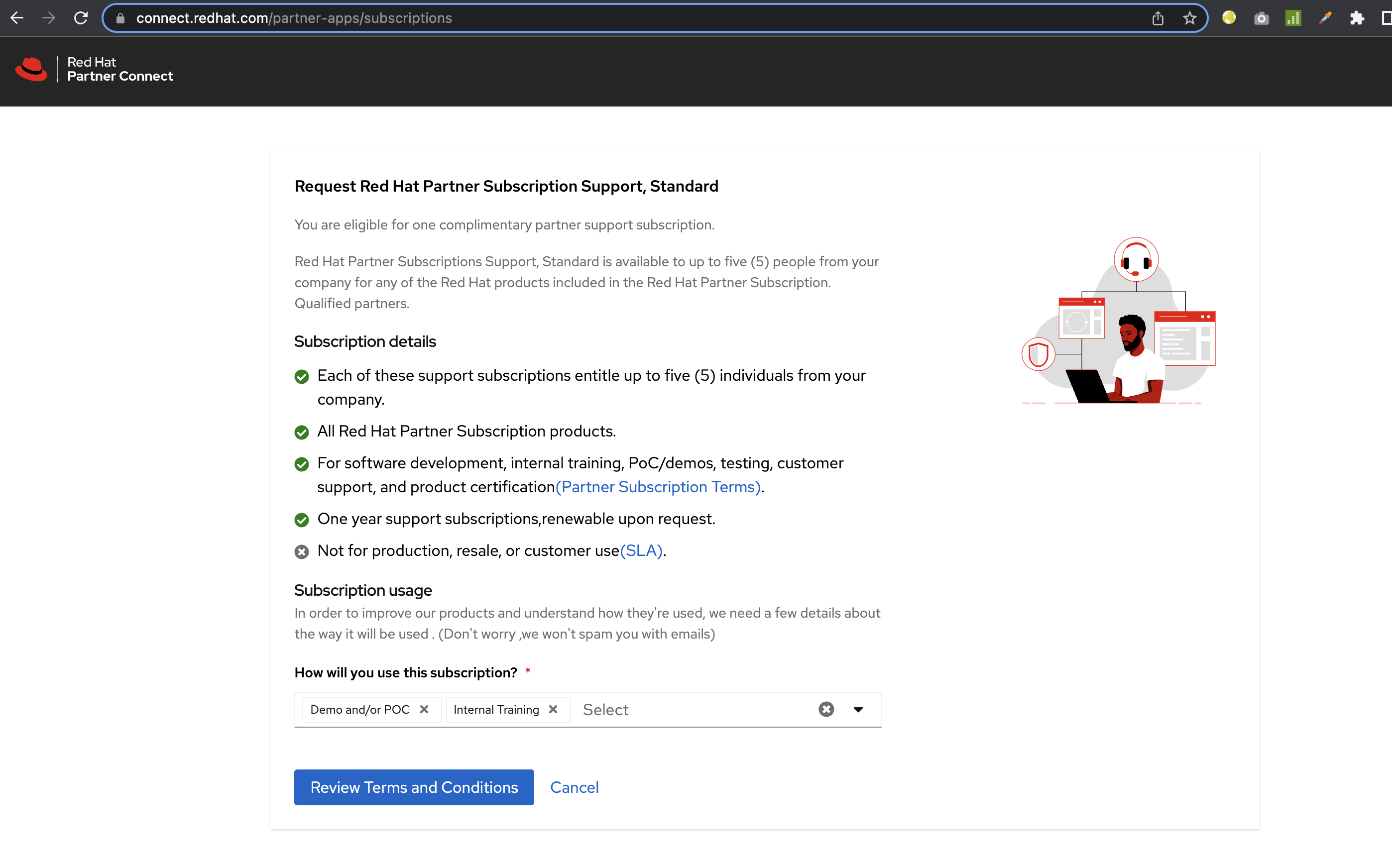
- Subscriptions will be added to your account within the next few minutes after receiving email confirmation.
- Please access your subscriptions on the customer portal on access.redhat.com.

If you face any issues or have questions about Red Hat Partner Subscriptions, contact the Red Hat Partner Acceleration Desk.

Comments