
Kernel Panic after Kernel update

Latest response

We are experiencing a kernel panic on one of our linux machines with the latest two version of the RHEL 6 kernels (2.6.32-696-28.1.el6.x86_64 or 2.6.32-696-30.1.el6.x86_64). However we can boot the machine into an older kernel (2.6.32-696-23.1.el6.x86_64) just fine. I took a picture of the kernel panic output I see on the monitor. Any help or suggestions are greatly appreciated.

Thanks!
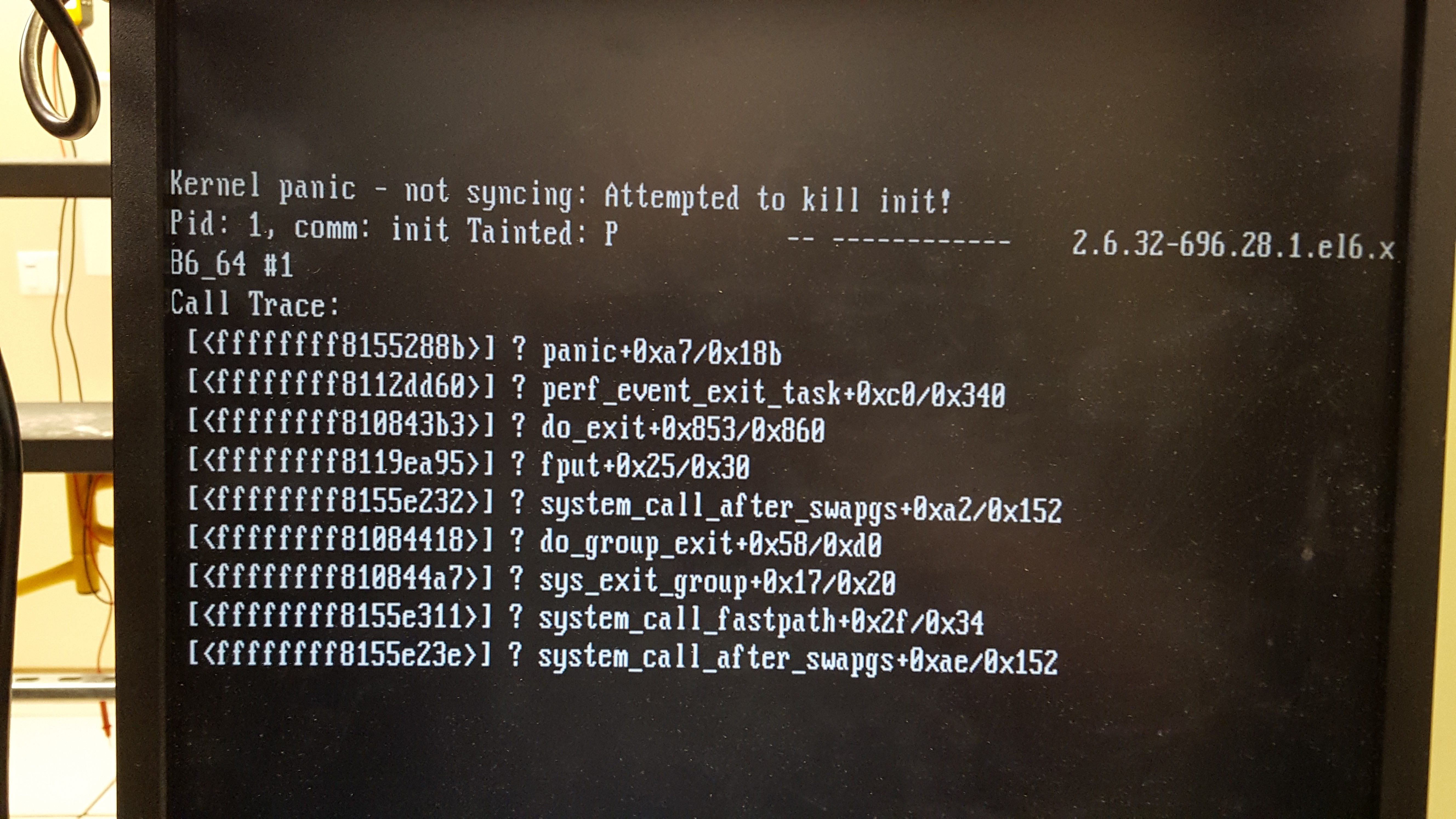
Kernel Panic

Responses

These are the initial things that I normally check when this happens:

  • Boot into working kernel and check the following.
  • Make sure there is enough free space on /boot & /tmp
  • Examine the log files for any hints or errors.
  • Check if respective vmlinuz image file is generated for the new kernel under /boot. You may try rebuilding initrd image. After this reboot and test if systems boots fine into new kernel. Compare the old initrd image file with new one. https://access.redhat.com/solutions/1958
  • If still no go, then you may remove the newly installed kernel and re-install it (yum remove & yum install ), and rebuild initrd/initramfs file.

I suggest trying the last one first, that is, to reinstall the kernel. It will most likely fix the issue.

When we run "yum remove" and then "yum install" for the latest kernel, we only see the initramfs file in /boot. Should we also see the initrd file too? Thanks!

No, it is initramfs in RHEL6/7, which was called 'initrd' in earlier versions. Try booting into the new kernel and after the re-build and check if that works.

Close

Welcome! Check out the Getting Started with Red Hat page for quick tours and guides for common tasks.