
Enabling Image Signature Support in a Disconnected Environment
Issue
When having a disconnected registry (standalone or not), the usual procedure to import the images is saving them with docker pull + docker save from another connected machine and reimporting after with docker load into the disconnected destination.
However, this procedure will not retain the original image signatures from registry.access.redhat.com nor sign them with another GPG key, therefore you will not be able to validate those images on a disconnected environment.
Example environment:
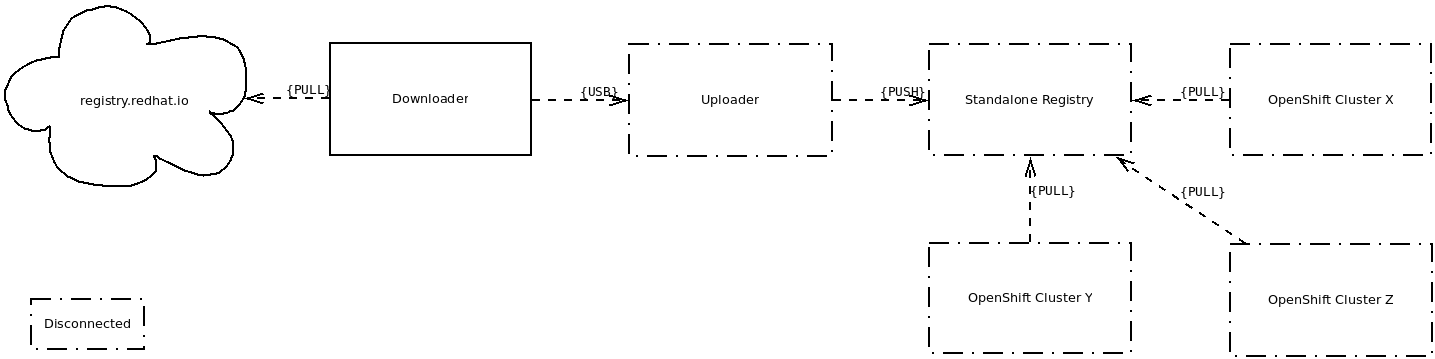
Environment
- OpenShift Container Platform
- 3.x
IMPORTANT NOTE: This solution relies on oc adm verify-image-signature for the verification part but this command is currently broken and will not be fixed, for more information please check this BZ#1705984.
Subscriber exclusive content
A Red Hat subscription provides unlimited access to our knowledgebase, tools, and much more.
