
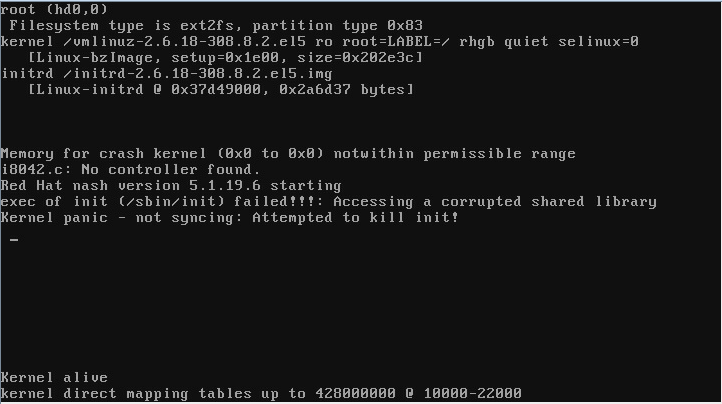
System stopped booting after kernel upgrade and throwing "exec of init (/sbin/init) failed!!!: Accessing a corrupted shared library kernel panic - Not syncing :Attempting to kill init!"
Environment
- Red Hat Enterprise Linux 5
Issue
- Upgraded kernel version from 274 to 308. System was working fine for more than 8 hrs. Later it suddenly crashed & now not booting with following error message:
"exec of init (/sbin/init) failed!!!: Accessing a corrupted shared library kernel panic - Not syncing :Attempting to kill init!"
Resolution
Restore a system from a backup.
A further option is to
- boot into a rescue system (i.e. install media)
- mount the filesystems, chroot into it
- perform "rpm -Va" to find out which RPM contents are corrupted and need to be reinstalled.
This requiresrpm, its dependencies and libraries, as well as the rpm-db to be unharmed.
Root Cause
Unfortunately from the error message, it's not possible to determine which libraries became corrupted.
This solution is part of Red Hat’s fast-track publication program, providing a huge library of solutions that Red Hat engineers have created while supporting our customers. To give you the knowledge you need the instant it becomes available, these articles may be presented in a raw and unedited form.

Comments