
Unable to access Business Central/Decision Central even on a fresh installation of the product and displays message "Please wait Loading Application"
Issue
-
After a fresh JBoss BPM Suite installation it starts up fine without any errors. When trying to open up business central in the browser, the authentication could be past.
-
But after that, the page shows the spinning wheel and the message
Please wait Loading Application…. No any errors show in the console or the log file. -
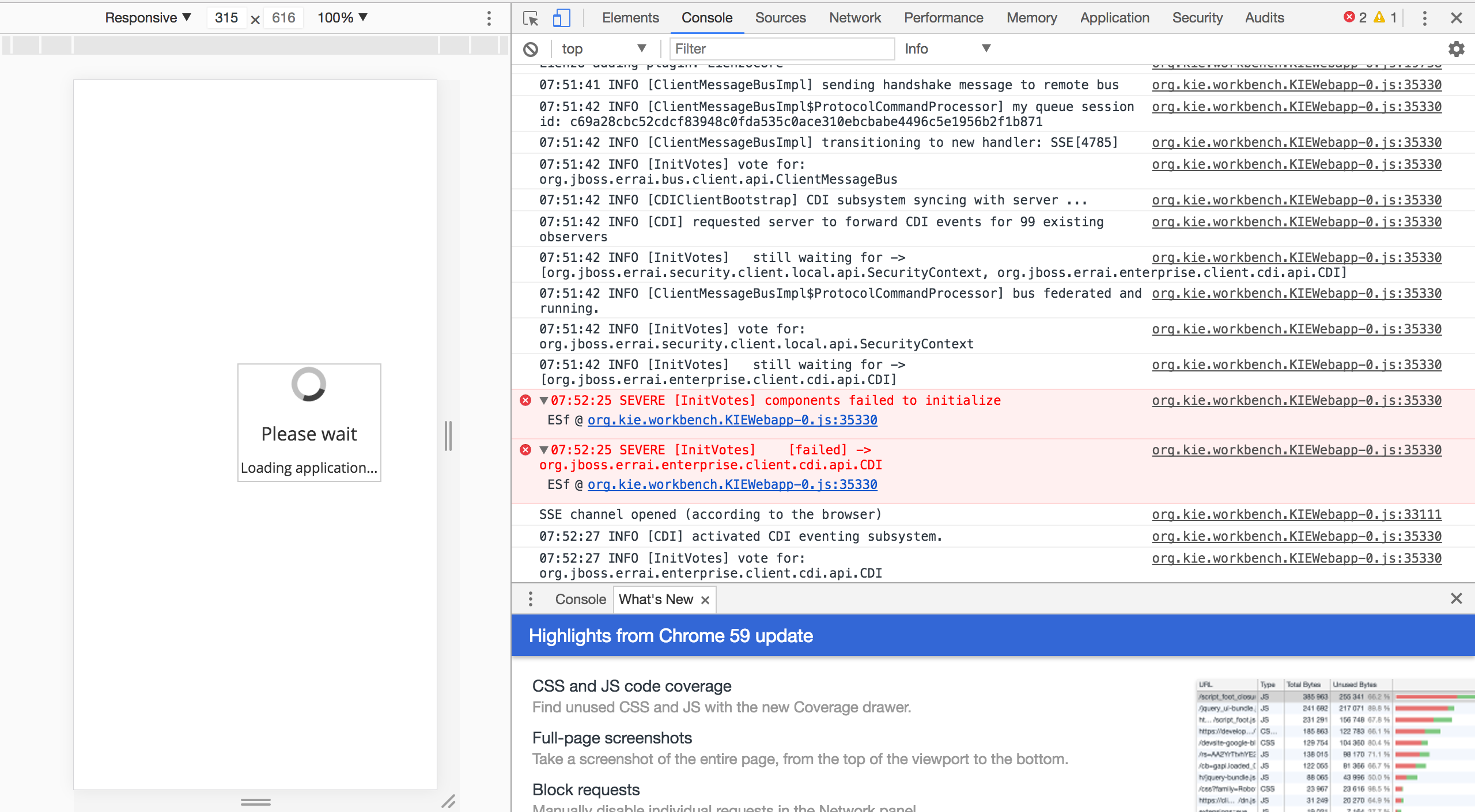
Browser developer tool shows some error messages like below:
 SEVERE [InitVotes] components failed to initialize ESf @ org.kie.workbench.KIEWebapp-0.js:35330
 SEVERE [InitVotes]    [failed] -> org.jboss.errai.enterprise.client.cdi.api.CDI ESf @ org.kie.workbench.KIEWebapp-0.js:35330
A screenshot showing error messages in Chrome browser developer tool when issue happens:

Various browsers, Firefox, Safari and Chrome are tested on Macbook Pro as well as iMac desktop with the same issue.
Environment
- Red Hat JBoss BPM Suite (BPMS) 6
- Red Hat JBoss BRMS (BRMS) 6
- Red Hat Process Automation Manager (RHPAM) 7
- Red Hat Decision Manager (RHDM) 7
- Mac
- Linux
- Windows
- Red Hat Enterprise Linux (RHEL) 6, 7
Subscriber exclusive content
A Red Hat subscription provides unlimited access to our knowledgebase, tools, and much more.
