
Importing user from LDAP to RH-SSO fails with error "email already exists"
Environment
- Red Hat Single Sign-On (RH-SSO)
- 7.x
- Lightweight Directory Access Protocol (LDAP) or Active Directory Lightweight Directory Service (AD)
Issue
- Could not able to import users
-
Exception thrown in the logs:
2017-04-24 09:04:28,016 ERROR [org.keycloak.storage.ldap.LDAPStorageProviderFactory] (default task-2) Failed during import user from LDAP: org.keycloak.models.ModelDuplicateException: Can't import user 'user1' from LDAP because email 'abc@example.com' already exists in Keycloak. Existing user with this email is 'user0'
2017-04-24 09:04:28,028 ERROR [org.keycloak.storage.ldap.LDAPStorageProviderFactory] (default task-2) Failed during import user from LDAP: org.keycloak.models.ModelDuplicateException: Can't import user 'user2' from LDAP because email 'abc@example.com' already exists in Keycloak. Existing user with this email is 'user0'
Resolution
This error occurs when single e-mail id is mapped with multiple users.
You can make sure no 2 uses have the same email address, or use one of 2 workarounds:
- Delete
e-mail mapper- Login into
RH-SSOconsole - Select the appropriate
realm - Click on
User Federationand Click on appropriate provider - Go to
Mapperstab, click on email attribute mapper and click on thedeletesymbol
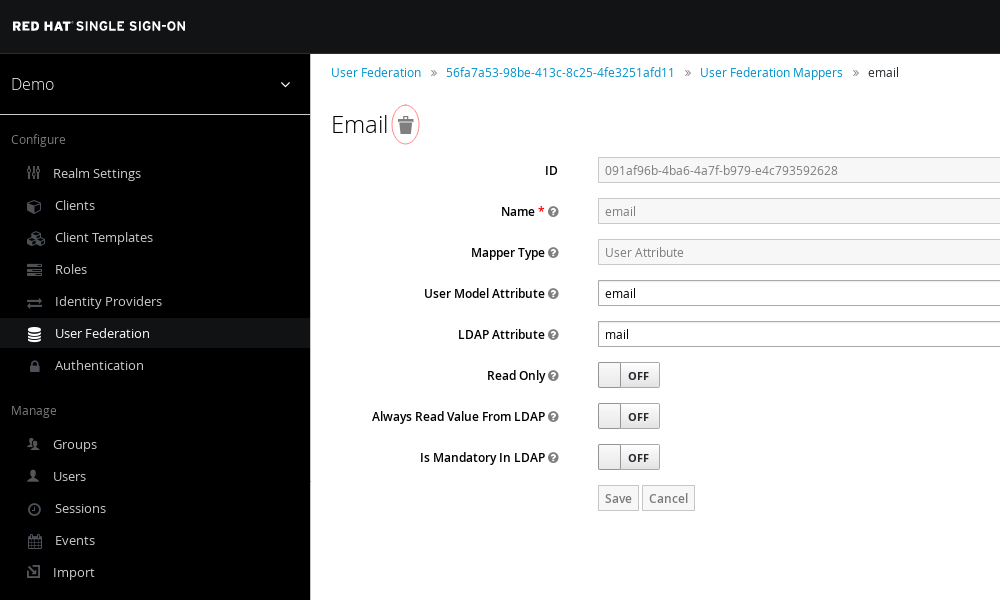
- Login into
- Turning on "Duplicate emails" in the Login tab
- Login into
RH-SSOconsole - Select the appropriate
realm - Go to Login tab and turn off
Login with emailsettings. Then,Duplicate emailsappears. - Turn on
Duplicate emailsand save it.
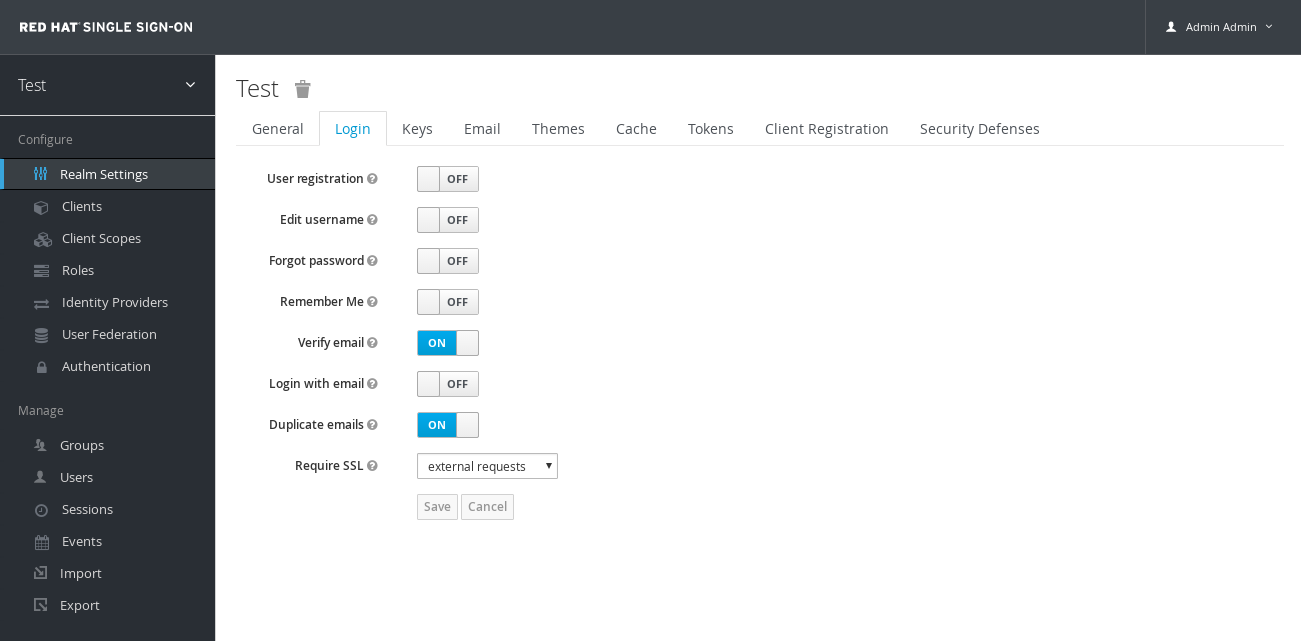
- Login into
Root Cause
RH-SSO does not allow multiple user to have same email-id when Login with email is enabled, which is the default.
This solution is part of Red Hat’s fast-track publication program, providing a huge library of solutions that Red Hat engineers have created while supporting our customers. To give you the knowledge you need the instant it becomes available, these articles may be presented in a raw and unedited form.

Comments